
Crunchyroll APK
Stream the world’s largest anime library – simulcasts, subs and dubs
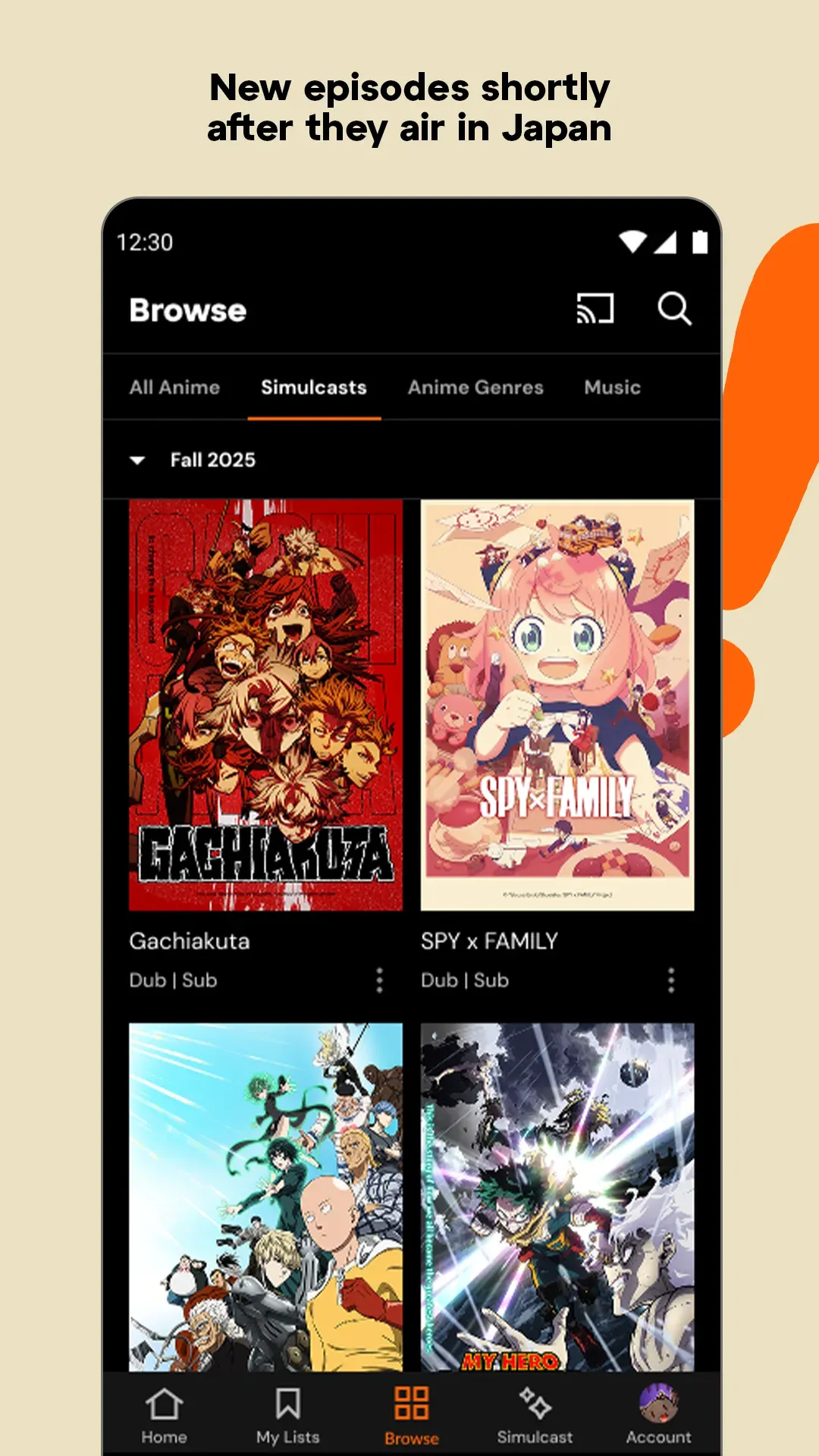
Crunchyroll is the official anime streaming app with the world’s largest anime library. Watch One Piece, Solo Leveling, Frieren and new simulcasts shortly after they air in Japan, with subtitles and dubs. 100M+ downloads.
Crunchyroll APKDownload for Android · Varies with device



More about Crunchyroll
| Name | Crunchyroll |
|---|---|
| Package name | com.crunchyroll.crunchyroid |
| Category | Entertainment |
| Version | aries with device |
| Size | Varies with device |
| Requires Android | Varies with device |
| Developer | Crunchyroll, LLC |
| Installs | 100M+ |
| Last updated | 4 Nov 2026 |
| Get it on | Google Play |
Crunchyroll APK is the official Android download of Crunchyroll: Anime Streaming, the app with the world’s largest anime library. Watch One Piece, Solo Leveling, Frieren and thousands of other series, often shortly after the episodes air in Japan.
This guide covers the latest app version, subscription plans, main features, install steps and tips to get the most out of Crunchyroll on your phone.
What is Crunchyroll?
Crunchyroll is a streaming service made only for anime fans. The library covers new simulcasts, classic shows, anime movies and music content, with subtitles in many languages and dubs for popular titles. The Android app lets you stream on your phone or tablet, cast to a TV and keep your watchlist in sync across devices.
The app is free to download. To unlock the full ad-free library and new simulcasts, you sign up for a Crunchyroll Premium membership inside the app.

Crunchyroll APK Details
| App name | Crunchyroll: Anime Streaming |
| Developer | Crunchyroll, LLC |
| Package name | com.crunchyroll.crunchyroid |
| Latest version | Varies with device (updated November 4, 2026) |
| Requires | Varies with device |
| Category | Entertainment / anime streaming |
| Price | Free download; Premium plans as in-app subscriptions ($9.99 – $179.99) |
| Downloads / rating | 100M+ · 4.6★ from 4.4M reviews · Teen |
What’s New in the Latest Crunchyroll Update
- Fixed a crash when pressing Enter or Next on the keyboard in the search bar.
- Fixed a crash in the Watchlist when scrolling while changing sort or filter.
- Fixed a crash in the Simulcast grid and other stability improvements.
Key Features of Crunchyroll
1. The Largest Anime Library
Thousands of series and movies, from hits like One Piece, Solo Leveling and Frieren to older classics and hidden gems.
2. Simulcasts From Japan
New episodes arrive shortly after they air in Japan, so you can follow the season along with fans worldwide.
3. Subtitles and Dubs
Watch with subtitles in many languages, or switch to dubbed versions for popular shows.
4. Ad-Free HD Streaming
Premium members watch without ads in high quality on phones, tablets and TVs.
5. Offline Viewing
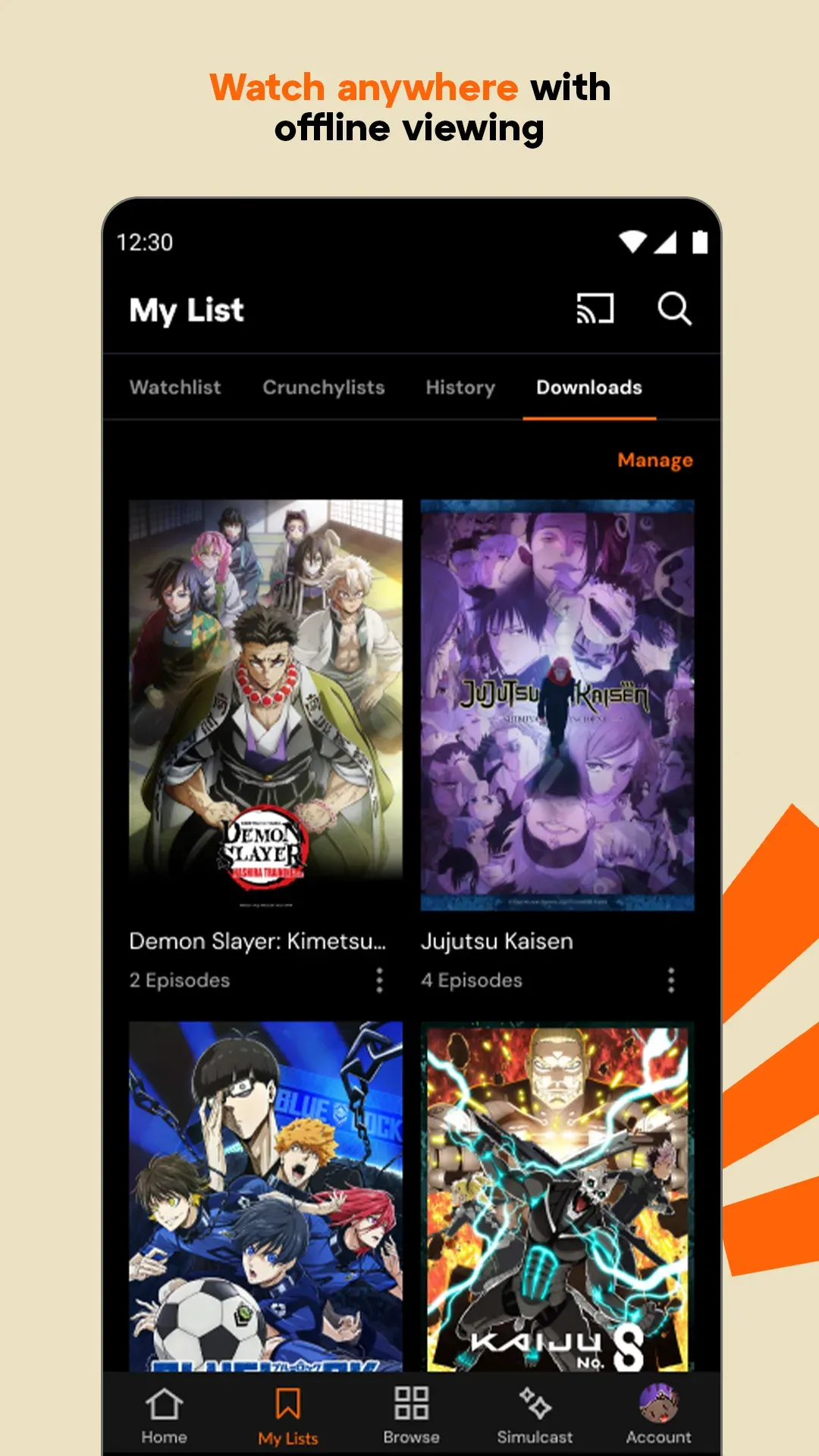
Higher Premium tiers let you download episodes to watch offline – great for travel or saving mobile data.
6. Music Videos and Concerts
Crunchyroll also offers exclusive anime music videos and concerts alongside the shows.
Crunchyroll Premium Plans
- Fan: the full ad-free library on one stream at a time.
- Mega Fan: more simultaneous streams plus offline downloads and extras.
- Ultimate Fan: the most streams and extra perks for big fans.
Prices and perks depend on your country and are shown in the app before you subscribe. You can cancel any time from Google Play subscriptions.
How to Download and Install Crunchyroll APK
- Tap the Download button on this page to open Crunchyroll on Google Play.
- Tap Install and open the app.
- Create a free account or sign in with your existing Crunchyroll account.
- Choose a Premium plan if you want the full library, then start watching.
Is Crunchyroll APK Safe?
Yes, the official app from Crunchyroll, LLC on Google Play is safe. “Crunchyroll Premium mod” APKs on other websites are not official, often stop working, and can steal your login details or install malware. Use the Google Play version to keep your account secure.
Supported Devices
- Android phones and tablets (requirements vary by device)
- Chromecast support to watch on your TV
- Stable internet for streaming; Wi-Fi recommended for HD
- Free storage if you use offline downloads

Tips for Using Crunchyroll
- Add shows to your Watchlist to get notified when new episodes drop.
- Check the Simulcast calendar to see which shows air each day.
- Download episodes on Wi-Fi before a trip to save data.
- Change subtitle language and size in the player settings.
Pros and Cons of Crunchyroll
Pros
- Huge, anime-focused library
- Fast simulcasts from Japan
- Subtitles and dubs in many languages
- Offline downloads on higher plans
Cons
- Full library needs a paid plan
- Some titles are region-locked
Similar Apps on APKsLab
- JustWatch – find where to stream any movie or show
- Stremio – all-in-one media center
- MX Player – powerful video player
- I’m Miri – AI astrology and tarot
Discover more streaming and fun apps in our Entertainment apps category.
Final Verdict
For anime fans, Crunchyroll is the most complete streaming app on Android. The library is massive, simulcasts arrive fast, and the latest update makes the app more stable. Download the official Crunchyroll APK from Google Play with the button above and start your next anime marathon.
Frequently asked questions
Is Crunchyroll free on Android?
What anime can I watch on Crunchyroll?
Can I download anime to watch offline on Crunchyroll?
Does Crunchyroll have dubs?
Is a Crunchyroll Premium mod APK safe?
Apps like Crunchyroll
See all JustWatch TV
 I’m Miri: AI Astrology & Tarot
Recommended Apps
See all Stremio
 Adobe Premiere
 Material Files
 GameNative
 Notability
 Loops
 Radio Addict
 Retro – Photos with Friends
 OpenClaw
 SongFlip
 Rowtine
Recommended Games
See all Saints Row: The Third
 Soccer Manager 2027
 Red Ball Forever
 Monster Hunter Outlanders
 MotoGP Rivals
 Kettle Street: Cosy Life Sim
 Sifu
 Winter Burrow
 Vampire Crawlers
 Truckful
 Bloons Blitz
 ONE PIECE: Grand Gourmet
Ratings and reviews
No reviews yet. Be the first to rate Crunchyroll.