
MX Player APK
Play almost any video with HW+ acceleration and smart subtitle gestures
MX Player is a free, powerful video player for Android with 1B+ downloads. Play almost any format, use HW+ hardware acceleration and multi-core decoding, pinch to zoom and control subtitles with gestures.
MX Player APKDownload for Android · Varies with device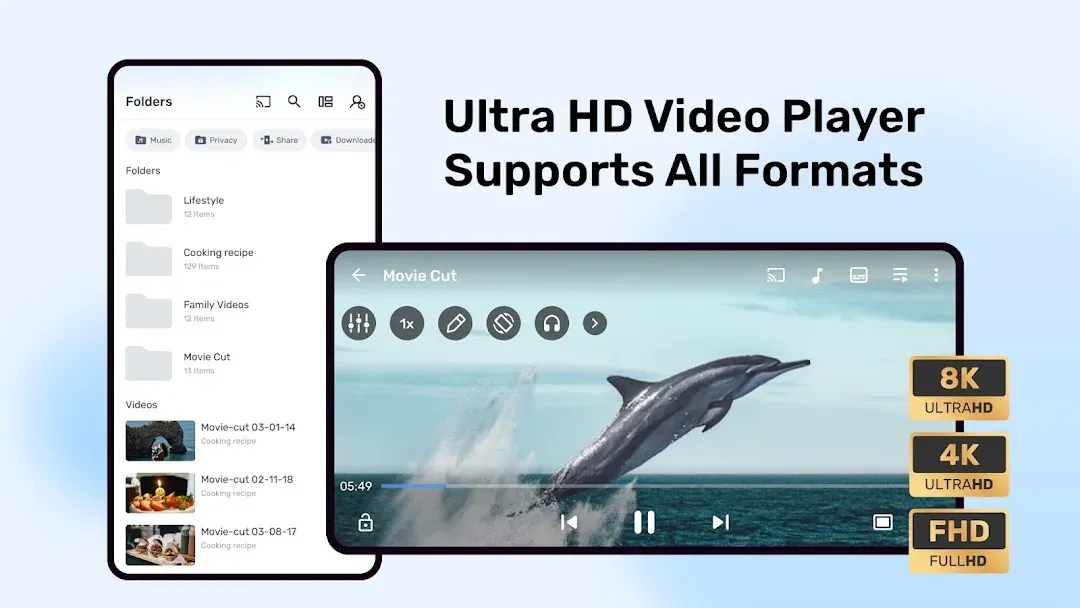


More about MX Player
| Name | MX Player |
|---|---|
| Package name | com.mxtech.videoplayer.ad |
| Category | Video Players |
| Version | 3.3.1 |
| Size | Varies with device |
| Requires Android | Android 7.0+ |
| Developer | Amazon Mobile LLC |
| Installs | 1B+ |
| Last updated | 3 Nov 2026 |
| Get it on | Google Play |
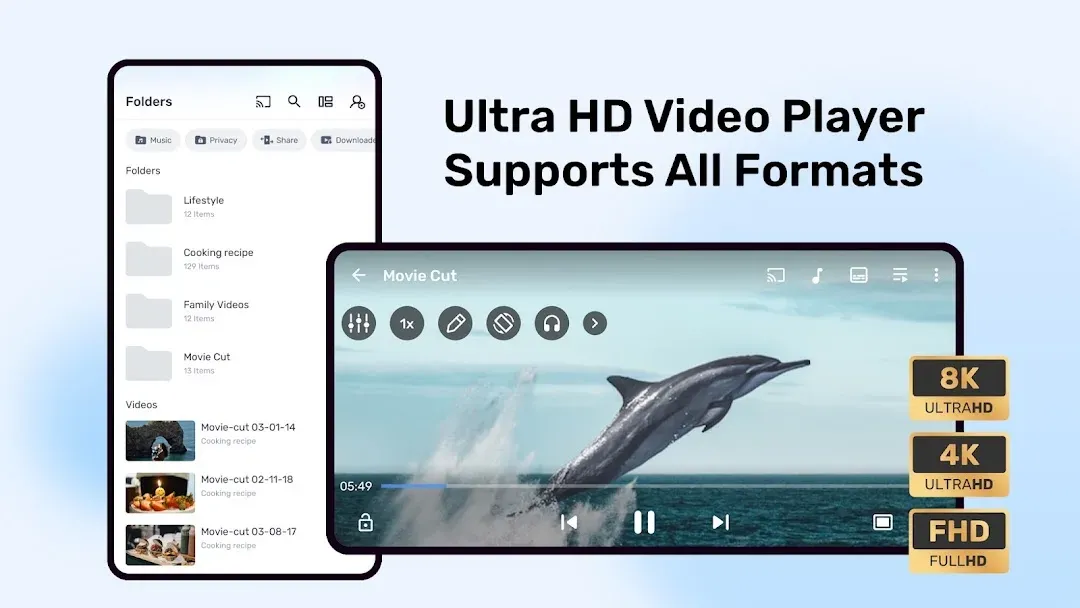
MX Player APK is the official Android download of MX Player, one of the most installed video players ever on Android. It plays almost every video and audio format, supports subtitles with smart gestures, and uses hardware acceleration and multi-core decoding for smooth playback – even on older phones.
This page shows the latest version, all key features, how to set up subtitles and decoders, install steps and tips.
What is MX Player?
MX Player is a powerful video and music player that first launched in 2011. It became famous for playing files that other players could not, with fine control over decoders, subtitles and gestures. Today the app is published by Amazon Mobile LLC, and in some regions it also includes free streaming content alongside your local media.
The app is free with ads. Optional in-app purchases are available for extra content and features.
MX Player APK Details
| App name | MX Player |
| Developer | Amazon Mobile LLC |
| Package name | com.mxtech.videoplayer.ad |
| Latest version | 3.3.1 (updated November 3, 2026) |
| Requires | Android 7.0 and up |
| Category | Video Players & Editors |
| Price | Free (contains ads; in-app purchases $0.49 – $239.99) |
| Downloads / rating | 1B+ · 4.2★ from 14M reviews · Everyone |
The .ad at the end of the package name marks the free, ad-supported edition of MX Player. It is the official app.
What’s New in MX Player 3.3.1
- A smoother, faster and more reliable app.
- Bug fixes and performance optimizations for a better viewing experience.
Key Features of MX Player
1. Hardware Acceleration (HW+)
The HW+ decoder applies hardware acceleration to more videos, so playback stays smooth while using less battery.
2. Multi-Core Decoding
MX Player was the first Android video player to support multi-core decoding. On multi-core phones, performance can be up to 70% better than single-core decoding.
3. Pinch to Zoom, Zoom and Pan
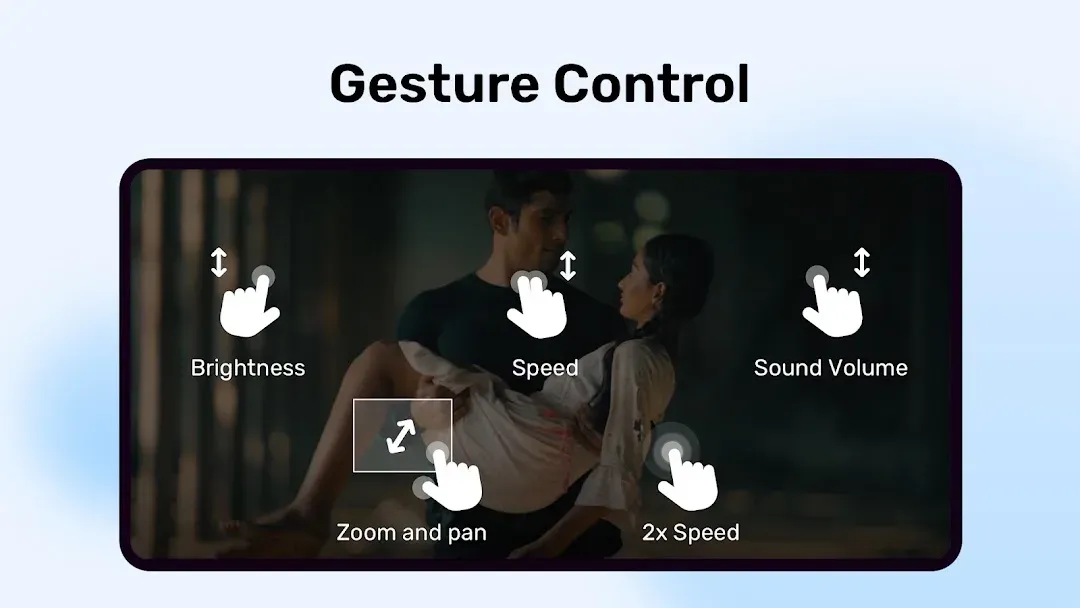
Pinch and swipe to zoom into any part of the video and move around the picture.
4. Subtitle Gestures
Scroll to jump to the next or previous subtitle line, move subtitles up or down, and pinch to change their size – all while the video plays.
5. Kids Lock
Lock the screen so children can watch without accidentally making calls or opening other apps.
6. Plays Almost Every Format
Play MP4, MKV, AVI, MOV, FLV, WEBM and many more video formats, plus popular audio formats, with support for common subtitle files like SRT and ASS.
How to Add Subtitles in MX Player
- Put the subtitle file (for example .srt) in the same folder as the video and give it the same name.
- Open the video – MX Player loads the subtitle automatically.
- Or tap the menu › Subtitle › Open and choose the file.
- Use subtitle gestures to adjust timing, position and size.
How to Download and Install MX Player APK
- Tap the Download button on this page to open MX Player on Google Play.
- Tap Install and open the app.
- Allow access to videos and music so MX Player can find your files.
- Set MX Player as the default app for video files when Android asks.
Is MX Player APK Safe?
Yes, the Google Play version published by Amazon Mobile LLC is safe and regularly updated. Avoid “MX Player Pro mod” APKs from unknown sites – they are not official and can contain malware. If a video does not play, try switching between HW, HW+ and SW decoders instead of installing a modified app.
Requirements
- Android 7.0 or newer
- Storage / media permission to play local files
- Internet only for streaming content and updates

Tips for Better Playback
- If a video stutters, tap the decoder button and switch between HW+, HW and SW.
- Swipe up and down on the left side for brightness and on the right side for volume.
- Double-tap the sides of the screen to skip forward or back.
- Use background play for music videos and podcasts.
- Turn on the Kids Lock before handing your phone to children.
Pros and Cons of MX Player
Pros
- Plays almost any video format
- Excellent subtitle support and gestures
- HW+ and multi-core decoding for smooth playback
- Free and very well known
Cons
- Ads in the free version
- Extra streaming content may not interest everyone
Similar Apps on APKsLab
- Stremio – all-in-one media center
- Adobe Premiere – Adobe’s free mobile video editor
- Crunchyroll – anime streaming app
- ZArchiver – open ZIP, RAR and 7z files
Browse more players and editors in our Video Players apps category.
Final Verdict
MX Player is still one of the best free video players on Android. It plays nearly any file, handles subtitles brilliantly and stays smooth thanks to HW+ and multi-core decoding. Download the official MX Player APK from Google Play with the button above.
Frequently asked questions
Is MX Player free?
Who owns MX Player now?
Why is my video not playing in MX Player?
How do I add subtitles in MX Player?
Is MX Player Pro mod APK safe?
Apps like MX Player
See all Stremio
 Adobe Premiere
Recommended Apps
See all Material Files
 GameNative
 Notability
 Loops
 Radio Addict
 Retro – Photos with Friends
 OpenClaw
 SongFlip
 Rowtine
 I’m Miri: AI Astrology & Tarot
Recommended Games
See all Saints Row: The Third
 Soccer Manager 2027
 Red Ball Forever
 Monster Hunter Outlanders
 MotoGP Rivals
 Kettle Street: Cosy Life Sim
 Sifu
 Winter Burrow
 Vampire Crawlers
 Truckful
 Bloons Blitz
 ONE PIECE: Grand Gourmet
Ratings and reviews
No reviews yet. Be the first to rate MX Player.