
ZArchiver APK
Open ZIP, RAR and 7z files and install APK + OBB games on Android
ZArchiver is the most popular free archive manager for Android. Extract ZIP, RAR, 7z and many more formats, create password-protected archives and install APK and OBB files from archives. No internet permission, 100M+ downloads.
ZArchiver APKDownload for Android · Varies with device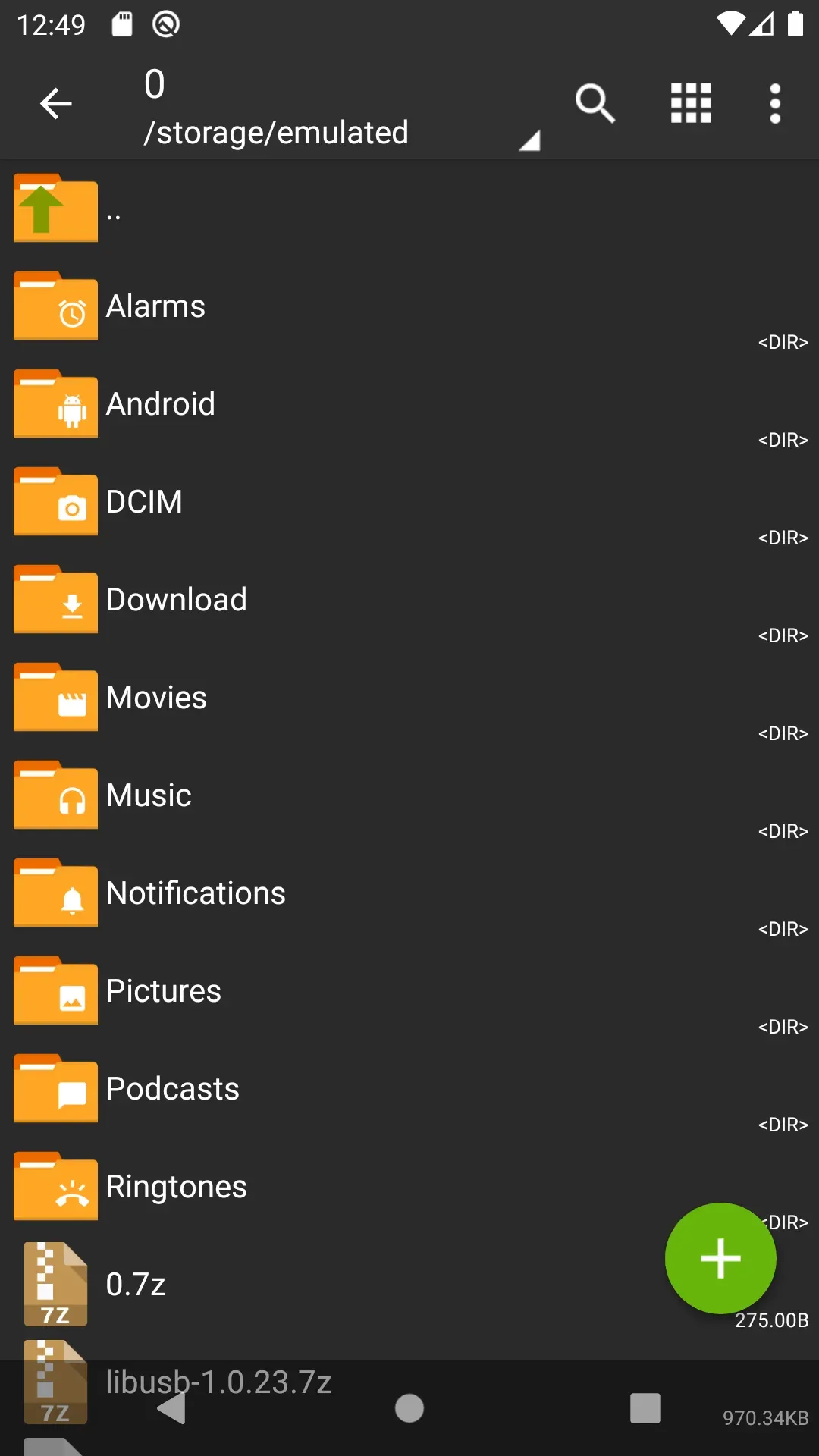


More about ZArchiver
| Name | ZArchiver |
|---|---|
| Package name | ru.zdevs.zarchiver |
| Category | Tools |
| Version | 1.0.10 |
| Size | Varies with device |
| Requires Android | Varies with device |
| Developer | ZDevs |
| Installs | 100M+ |
| Last updated | 24 Jun 2024 |
| Get it on | Google Play |
ZArchiver APK is the official Android download of ZArchiver by ZDevs – the most popular archive manager on Android. Open ZIP, RAR, 7z and dozens of other formats, create password-protected archives, and install APK and OBB files straight from an archive. It is free, light and has no internet permission.
Below are the latest version details, supported formats, key features, a guide to extracting files and installing XAPK, plus safety tips.
What is ZArchiver?
ZArchiver is a file and archive manager for Android. It lets you create, extract, view and edit compressed files right on your phone. Because Android does not handle formats like RAR or 7z on its own, ZArchiver is one of the first apps many people install – especially gamers who download games with OBB data or split APK bundles.
The app does not request internet access, so it cannot send your files or data anywhere. It also works with app backups stored in archives.

ZArchiver APK Details
| App name | ZArchiver |
| Developer | ZDevs |
| Package name | ru.zdevs.zarchiver |
| Latest version | 1.0.10 (updated June 24, 2024) |
| Requires | Varies with device |
| Category | Tools / file & archive manager |
| Price | Free |
| Downloads / rating | 100M+ · 4.2★ from 1.4M reviews · Everyone |
What’s New in ZArchiver 1.0.10
- Faster file operations.
- Added SUI support for advanced users.
- New E-Ink theme for e-reader style screens.
- Drag and drop files into or out of ZArchiver.
- Other fixes and improvements.
Supported Archive Formats
- Create: 7z (7zip), zip, bzip2 (bz2), gzip (gz), XZ, lz4, tar and zst (zstd).
- Extract: 7z, zip, rar, rar5, bzip2, gzip, XZ, iso, tar, arj, cab, lzh, lha, lzma, xar, tgz, tbz, Z, deb, rpm, zipx and many more.
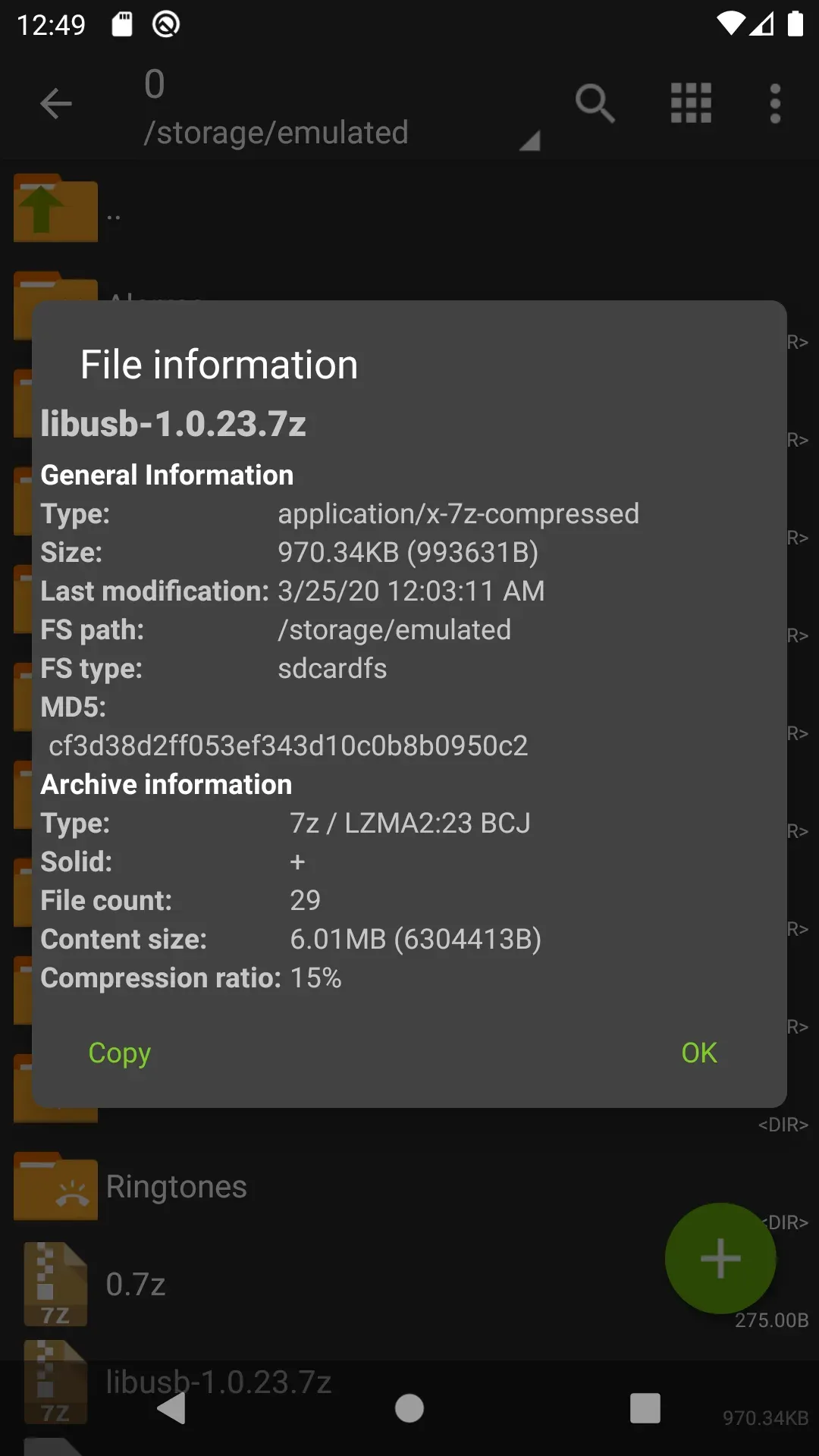
- View contents: look inside archives before you extract anything.
Key Features of ZArchiver
1. Extract Almost Any Archive
Open RAR, ZIP, 7z, TAR, ISO and many more formats with a single tap.
2. Create Archives
Compress files and folders into 7z, ZIP and other formats to save space or share many files at once.
3. Password-Protected Files
Create encrypted archives and open archives that are protected with a password.
4. Multi-Part Archives
Extract split archives such as .part1.rar or .7z.001 without joining them first.
5. Edit Without Extracting
Add or remove files inside an archive and open files directly from it.
6. Install APK and OBB From Archives
Install an APK and its OBB game data directly from a backup archive – handy for big games.
How to Extract a ZIP or RAR File
- Open ZArchiver and go to the folder with your archive (usually Download).
- Tap the archive file.
- Choose Extract here or Extract to ./folder name.
- Enter the password if the archive is protected.
How to Install a Game With OBB From an Archive
- Copy the archive with the APK and OBB files to your phone.
- Open it in ZArchiver to see the files inside.
- Tap the APK and choose to install it; allow ZArchiver to install unknown apps when Android asks.
- Extract the OBB folder to Android/obb if it is not placed there automatically.
XAPK files are ZIP-based packages too, so you can look inside them with ZArchiver.
How to Download and Install ZArchiver APK
- Tap the Download button on this page to open ZArchiver on Google Play.
- Tap Install and open the app.
- Allow access to files and storage when asked.
- Pick a theme and start managing your archives.
Is ZArchiver APK Safe?
Yes. The Google Play version from ZDevs is safe and does not even have internet permission. Be careful with “ZArchiver Pro mod” files from unknown websites – fake copies can add trackers or malware. Also scan downloaded archives and only install APKs from trusted sources.
Requirements
- Android phone or tablet (requirements vary by device)
- Storage / all files access permission
- No internet connection needed

Handy ZArchiver Tips
- Long-press files to select several at once and compress them together.
- Use 7z for the best compression and ZIP for the widest compatibility.
- Turn on the dark or E-Ink theme in settings if you read for a long time.
- Check the free space before extracting large game files.
Pros and Cons of ZArchiver
Pros
- Supports almost every archive format
- Free, light and no internet permission
- Installs APK and OBB from archives
- Password and multi-part support
Cons
- Interface looks simple and old-fashioned
- Updates are not very frequent
Similar Apps on APKsLab
- Material Files – open-source Material Design file manager
- GameNative – play your Steam, Epic and GOG games on Android
- MX Player – powerful video player
- Google Gemini – Google’s AI assistant
Find more useful utilities in our Tools apps category.
Final Verdict
ZArchiver is a must-have tool for every Android user. It opens almost any archive, creates password-protected files and installs games with their OBB data from archives – all for free and without internet access. Download the official ZArchiver APK from Google Play with the button above.
Frequently asked questions
Is ZArchiver free?
Can ZArchiver open RAR files?
Can ZArchiver install APK and OBB files?
Can ZArchiver create password-protected archives?
Is ZArchiver safe?
Apps like ZArchiver
See all Material Files
 GameNative
Recommended Apps
See all Stremio
 Adobe Premiere
 Notability
 Loops
 Radio Addict
 Retro – Photos with Friends
 OpenClaw
 SongFlip
 Rowtine
 I’m Miri: AI Astrology & Tarot
Recommended Games
See all Saints Row: The Third
 Soccer Manager 2027
 Red Ball Forever
 Monster Hunter Outlanders
 MotoGP Rivals
 Kettle Street: Cosy Life Sim
 Sifu
 Winter Burrow
 Vampire Crawlers
 Truckful
 Bloons Blitz
 ONE PIECE: Grand Gourmet
Ratings and reviews
No reviews yet. Be the first to rate ZArchiver.