Material Files APK
Open-source Material Design file manager – now with Shizuku support
Material Files is a free, open-source file manager for Android. Version 1.7.5 adds Shizuku support, AES-256 ZIP encryption and more, alongside root access, archives and FTP/SFTP/SMB/WebDAV network storage.
Material Files APKDownload for Android · 10.7 MB
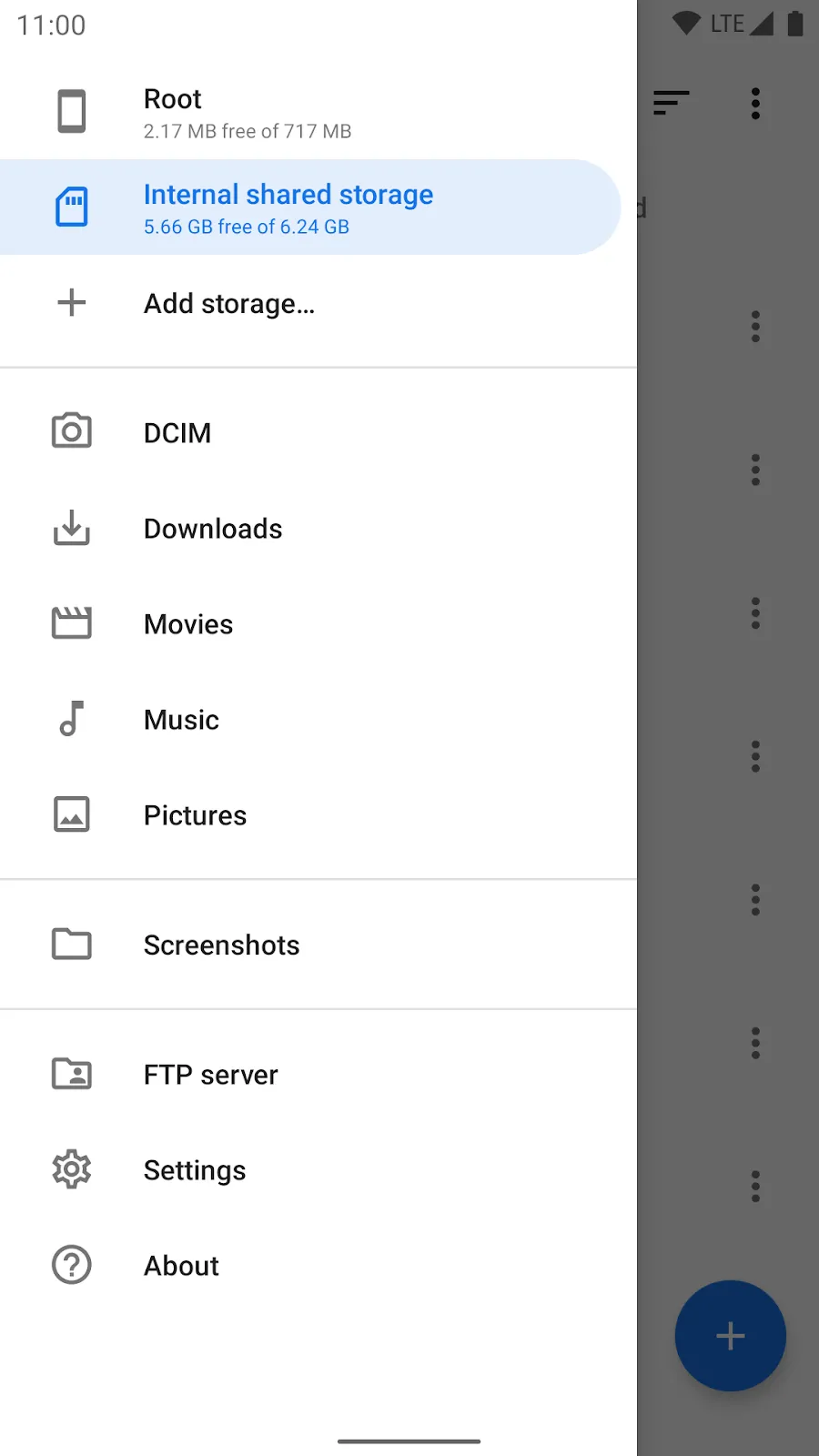

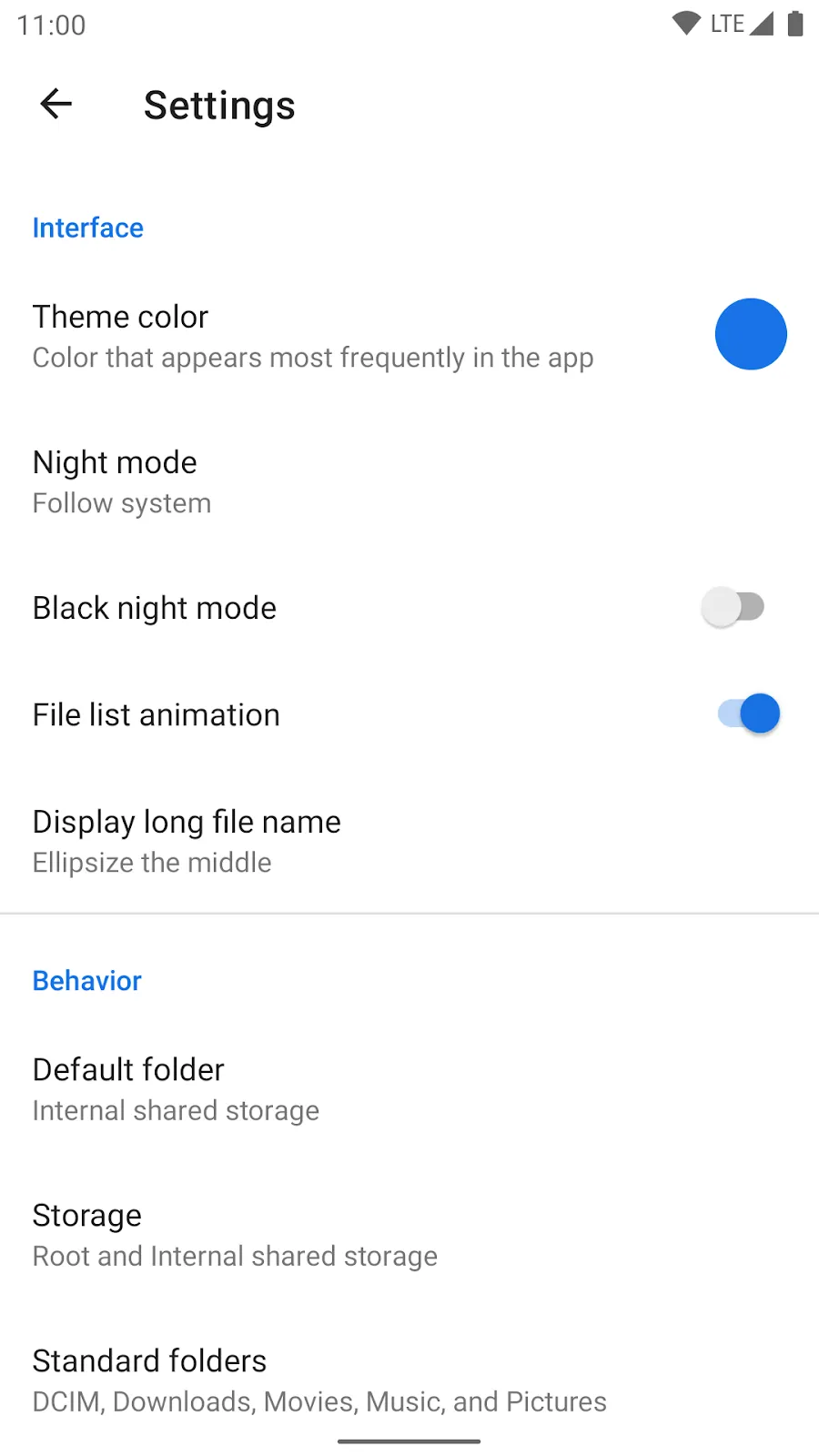
More about Material Files
| Name | Material Files |
|---|---|
| Package name | me.zhanghai.android.files |
| Category | Tools |
| Version | 1.7.5 |
| Size | 10.7 MB |
| Requires Android | Android 6.0+ |
| Developer | Hai Zhang |
| Installs | 1M+ |
| Last updated | 24 Oct 2026 |
| Get it on | Google Play |
Material Files APK is a lightweight, open-source file manager for Android by developer Hai Zhang. After more than two years without updates, version 1.7.5 arrived in September 2026 with Shizuku support, and Android Authority featured it in its October 2026 best new apps list. It has more than 1 million installs and a 4.3-star rating.
Below you will find what is new in 1.7.5, all key features, requirements and the three official ways to download Material Files.
What is Material Files?
Material Files is a clean, ad-free file manager that follows Google's Material Design. It is built for power users – with root access, Linux file permissions, symbolic links and network storage – but it is simple enough for everyday file browsing.
Because it is open source (GPL-3.0) and has no ads or trackers, it is one of the most trusted file managers on Android.

Material Files APK Details
| App name | Material Files |
| Developer | Hai Zhang (zhanghai) |
| Package name | me.zhanghai.android.files |
| Latest version | 1.7.5 |
| Size | About 10.7 MB |
| Requires | Android 6.0+ |
| Category | Tools |
| Price | Free, open source (GPL-3.0), no ads |
| Installs | 1M+ |
What is New in Material Files 1.7.5
- Shizuku support – access system-protected folders without root.
- AES-256 encryption for password-protected ZIP files instead of the weak ZipCrypto.
- New Danish and Galician translations and bug fixes.
- Notice: the old Material Design 2 theme may be removed in the upcoming 1.8.0.
Key Features of Material Files
1. Breadcrumb Navigation
Jump to any parent folder with one tap using the breadcrumb bar.
2. Archive Support
View, extract and create ZIP and other common archive formats.
3. Network Storage
Connect to FTP, SFTP, SMB and WebDAV servers and manage remote files like local ones.
4. Built-In FTP Server
Share files with your PC over Wi-Fi, with a Quick Settings tile to start it fast.
5. Root and Shizuku Access
Manage protected files with root, or use Shizuku if your phone is not rooted.
6. Linux-Aware and Customisable
Supports symbolic links, permissions and SELinux context, plus custom theme colours, night mode and true black.
How to Download and Install Material Files APK
- Tap Get it on Google Play, or choose the F-Droid or GitHub button for the open-source builds.
- Install the app (about 10 MB).
- To use Shizuku, install and start Shizuku first, then allow Material Files when asked.
Is Material Files APK Safe?
Yes. Material Files is open source, has no ads or trackers and is available from Google Play, F-Droid and the developer's GitHub.
System Requirements
- Android version: 6.0 or higher
- Size: about 10.7 MB
- Root: optional
- Shizuku: optional, for non-root access

Tips for Using Material Files
- Pin your most used folders for quick access.
- Use the FTP server tile to move files to your PC without a cable.
- Protect private ZIP files with a password – they now use AES-256.
Pros and Cons of Material Files
Pros
- Free, open source, no ads
- Root, Shizuku and network storage
- Small and fast
Cons
- Advanced options can confuse beginners
- Updates are not very frequent
Similar Apps on APKsLab
- Rowtine APK – private, offline project tracker.
- Snapseed APK – free photo editor from Google.
- Sunbird APK – iMessage on Android.
Browse more Tools apps on APKsLab.
Final Verdict
Material Files is one of the best free file managers on Android – fast, private, ad-free and now more powerful with Shizuku. A must-have tool.
Frequently asked questions
What is the latest version of Material Files?
Does Material Files support Shizuku?
Is Material Files free?
Can Material Files open network drives?
What Android version does Material Files need?
Recommended Apps
See all Radio Addict
 Adobe Premiere
 Sunbird
 JustWatch TV
 Snapseed
 Rowtine
 Loops
Loops
Recommended Games
See all Monster Hunter Outlanders
 Truckful
 Red Ball Forever
 Oh, Snack!
 Preserve: Complete Edition
 NHRA Legends of Drag Racing
 ONE PIECE: Grand Gourmet
 Petanque Royale
 9 Kings
Ratings and reviews
No reviews yet. Be the first to rate Material Files.