GameNative APK
Play your Steam, Epic and GOG games natively on Android
GameNative lets you sign in to Steam, Epic, GOG and Amazon, download your PC games to Android and play them natively with cloud saves – no streaming. Free on Google Play, 100K+ downloads, Android 10+.
GameNative APKDownload for Android · 141 MB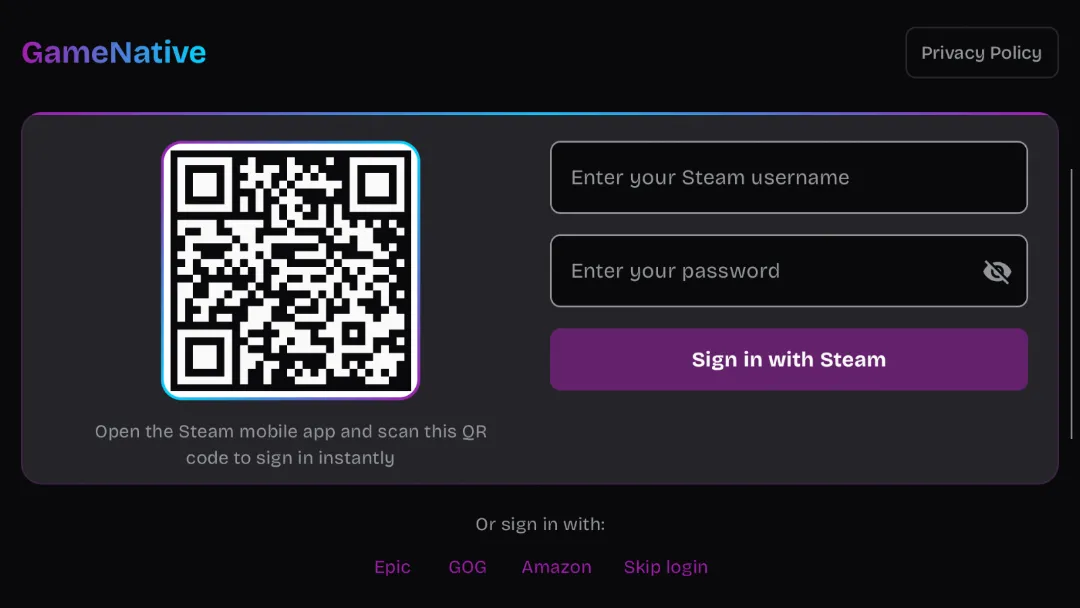


More about GameNative
| Name | GameNative |
|---|---|
| Package name | app.gamenative |
| Category | Tools |
| Version | 1.3.0 |
| Size | 141 MB |
| Requires Android | Android 10+ |
| Developer | GameNative |
| Installs | 100K+ |
| Last updated | 14 Oct 2026 |
| Get it on | Google Play |
GameNative APK lets you play your PC games from Steam, Epic, GOG and Amazon directly on your Android phone. You sign in to your accounts, download your games to the device and run them natively – no cloud streaming – thanks to PC translation. After months as a GitHub-only project, GameNative arrived on Google Play in July 2026 and has already passed 100,000 downloads.
In this guide you will learn how GameNative works, which stores it supports, what is new in version 1.3.0, device requirements, setup tips and how to download it safely.
What is GameNative?
GameNative is a PC game launcher for Android. Instead of streaming games from a computer, it downloads the actual Windows game files and runs them locally on your phone through a compatibility (translation) layer. Your cloud saves sync too, so you can continue the same save on PC and mobile.
Not every PC game will run on every phone, so the GameNative website offers a searchable database of supported games and recommended settings.

GameNative APK Details
| App name | GameNative |
| Developer | GameNative |
| Package name | app.gamenative |
| Released on Google Play | July 2, 2026 |
| Latest version | 1.3.0 (updated October 14, 2026) |
| Download size | About 141 MB (games download separately) |
| Requires | Android 10 and up |
| Category | Tools |
| Price | Free |
| Downloads / rating | 100K+ · 3.9★ · Everyone |
Key Features of GameNative
1. Steam, Epic, GOG and Amazon Support
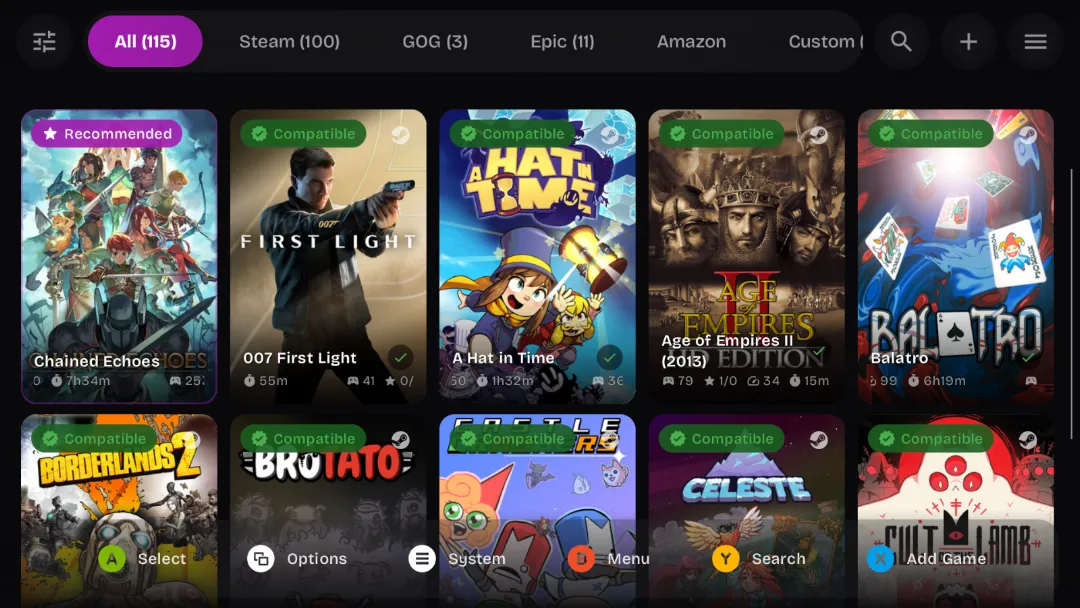
Sign in with your existing accounts and see your PC game libraries in one place.
2. Native Play, Not Streaming
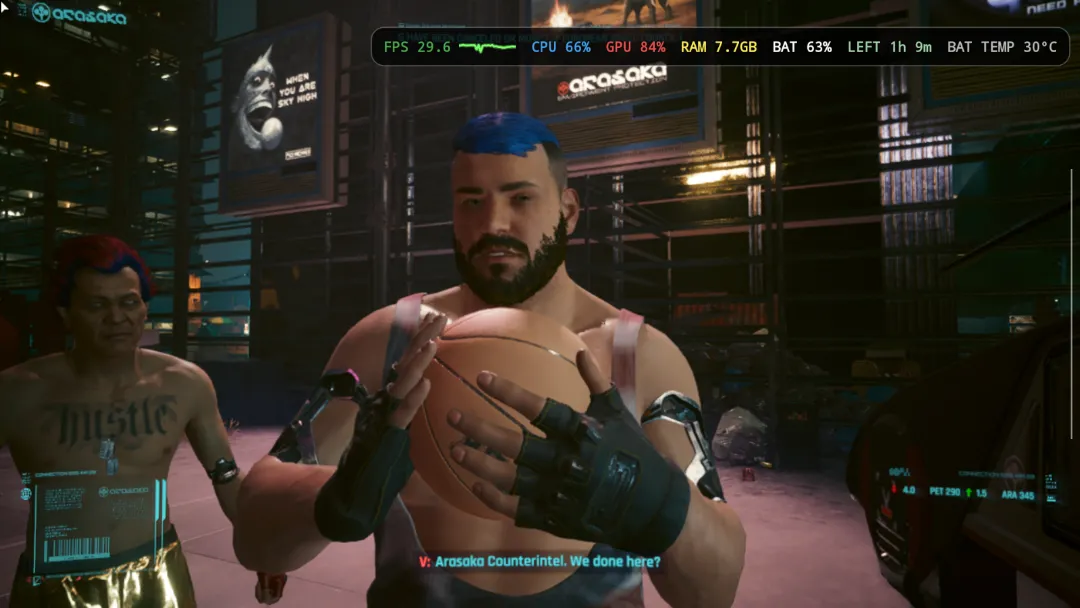
Games are downloaded and run locally on your device, so you do not need a gaming PC turned on at home.
3. Cloud Saves
Full cloud save support lets you move between your PC and phone without losing progress.
4. Controller Support
Connect a Bluetooth or clip-on controller for a much better experience than touch controls.
5. New in 1.3.0: Headless Steam Client
A new Steam client with headless mode improves multiplayer and DRM handling, and it enables EA and Rockstar launcher support.
6. Faster, Smaller Downloads
Overhauled downloads and smaller game containers save space and time.
How to Download and Set Up GameNative APK
- Tap Get it on Google Play on this page and install GameNative (about 141 MB).
- Open the app and sign in to Steam, Epic, GOG or Amazon.
- Check the game in the GameNative compatibility database.
- Download the game, apply the recommended configuration and tap Play.
Is GameNative APK Safe?
Yes. The Google Play version is the official release from the GameNative developers. You only log in to official store accounts, and the app has a public website and an active community. Avoid repacked “GameNative mod” APKs from unknown sites – they could steal your Steam or Epic login.
Requirements and Best Devices
- Android version: 10 or newer
- App size: about 141 MB, plus storage for each game
- Best on: gaming phones and flagships with powerful Snapdragon chips and plenty of RAM
- Recommended: a game controller
- Internet: needed to sign in and download games
Tips for Better Performance
- Start with lighter games: indie and older titles run far better than new AAA games.
- Check community configs: recommended settings for each game save a lot of trial and error.
- Use a controller: most PC games are designed for one.
- Keep your phone cool: long sessions can cause thermal throttling.
- Update often: each update improves compatibility.
Pros and Cons of GameNative
Pros
- Play your own PC games on Android without streaming
- Supports Steam, Epic, GOG and Amazon
- Cloud saves and controller support
- Free
Cons
- Not all games work, and some need tweaking
- Needs a powerful phone for heavier games
- Games use a lot of storage
Similar Apps on APKsLab
- Material Files APK – clean open-source file manager.
- Sifu APK – premium PC-quality action game on Android.
- Saints Row: The Third APK – full AAA open-world port.
Browse more Tools apps on APKsLab.
Final Verdict
GameNative is one of the most exciting Android apps of 2026 for gamers. Being able to run your own Steam and Epic games natively on a phone still feels like magic. Compatibility is not perfect yet, but with a strong phone and a controller, it is absolutely worth trying.
Frequently asked questions
What is GameNative?
Is GameNative free?
Does GameNative stream games?
Which games work with GameNative?
What are the GameNative requirements?
Apps like GameNative
See all Material Files
Recommended Apps
See all Notability
 Radio Addict
 Retro – Photos with Friends
 Stremio
 OpenClaw
 SongFlip
 Adobe Premiere
 I’m Miri: AI Astrology & Tarot
 Divine
 Loops
Loops
 Rowtine
Recommended Games
See all Red Ball Forever
 Soccer Manager 2027
 MotoGP Rivals
 Kettle Street: Cosy Life Sim
 Winter Burrow
 Saints Row: The Third
 Vampire Crawlers
 Sifu
Sifu
 Bloons Blitz
 ONE PIECE: Grand Gourmet
 Truckful
 Monster Hunter Outlanders
Ratings and reviews
No reviews yet. Be the first to rate GameNative.