SongFlip APK
Open any song link in your favorite music app
SongFlip automatically converts Spotify, YouTube Music, Apple Music, TIDAL, Deezer and other song or podcast links and opens them in your favorite player. Open source, no ads, no account. Only 15 MB.
SongFlip APKDownload for Android · 15 MB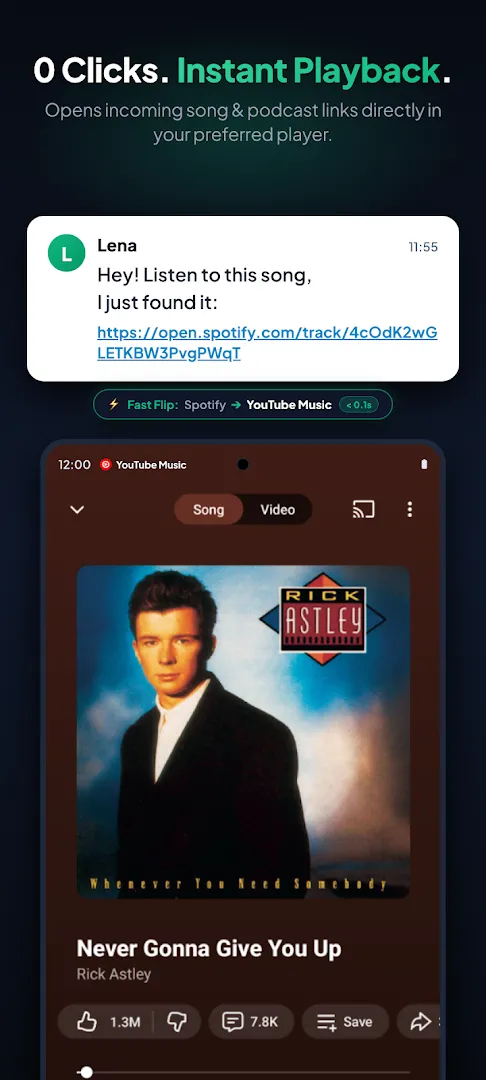


More about SongFlip
| Name | SongFlip |
|---|---|
| Package name | de.goork.songflip |
| Category | Music & Audio |
| Version | 1.11.9 |
| Size | 15 MB |
| Requires Android | Android 8.0+ |
| Developer | goork |
| Installs | 1K+ |
| Last updated | 29 Oct 2026 |
| Get it on | Google Play |
SongFlip APK is a small but brilliant Android app that solves an everyday music problem: a friend sends you a Spotify link, but you listen on YouTube Music, Apple Music, TIDAL or Deezer. SongFlip automatically converts the link and opens the same song in your favorite player – with zero clicks. It was picked by Android Authority as one of the best new Android apps of October 2026.
In this guide you will find all SongFlip features, supported services, setup steps, what PRO adds and how to download SongFlip safely.
What is SongFlip?
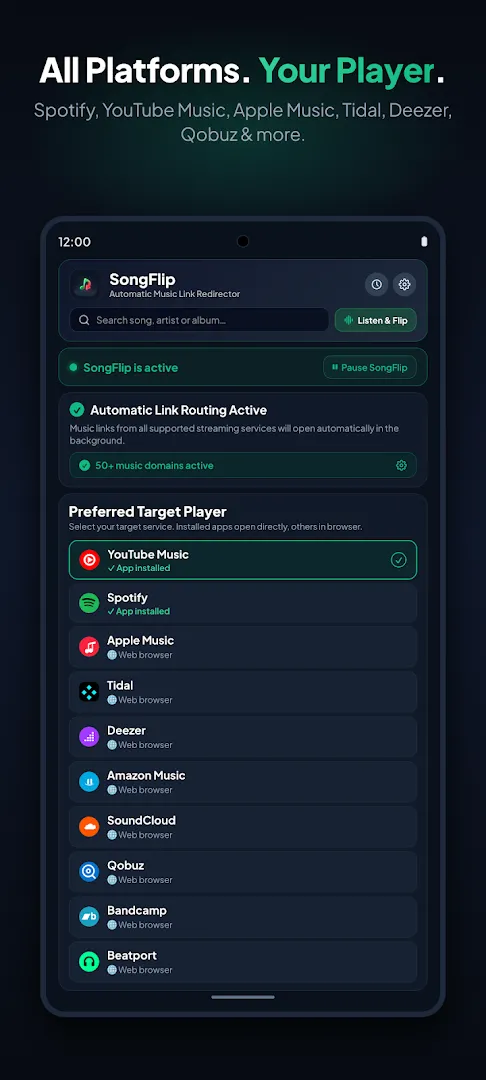
SongFlip is a music link redirect and song link converter. Once you enable it, Android sends supported music and podcast links to SongFlip, which finds the matching track or episode on your preferred service and opens it there instantly. No copying, no manual searching and no browser detours.
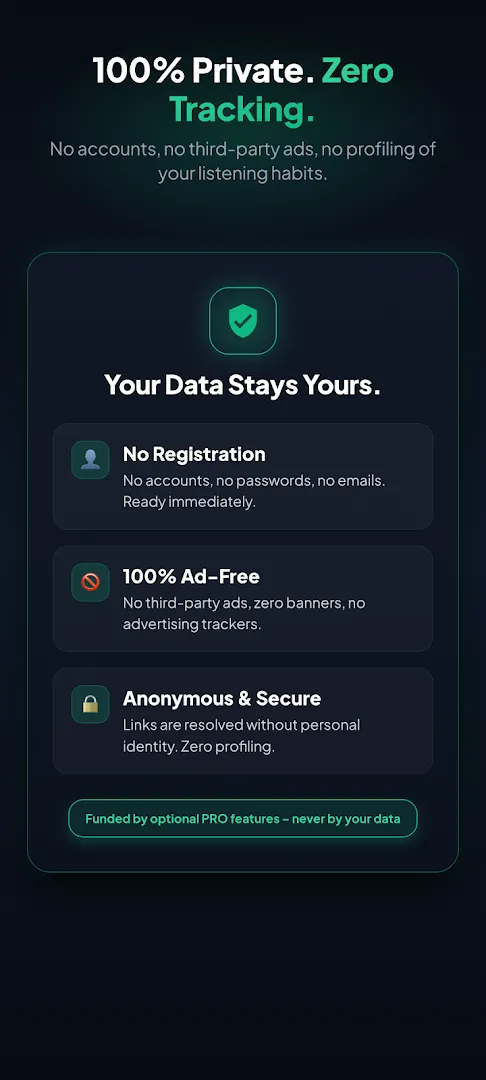
It is developed by goork, is 100% open source (GPLv3 on GitHub), needs no account and has no ads or tracking.
SongFlip APK Details
| App name | SongFlip: Music Link Redirect |
| Developer | goork |
| Package name | de.goork.songflip |
| Released | September 11, 2026 |
| Latest version | 1.11.9 (updated October 29, 2026) |
| Download size | About 15 MB |
| Requires | Android 8.0 and up |
| Category | Music & Audio |
| Price | Free, no ads (optional PRO in-app purchases $0.99 – $22.49) |
| Rating | 5.0★ · Everyone |
Supported Music and Podcast Services
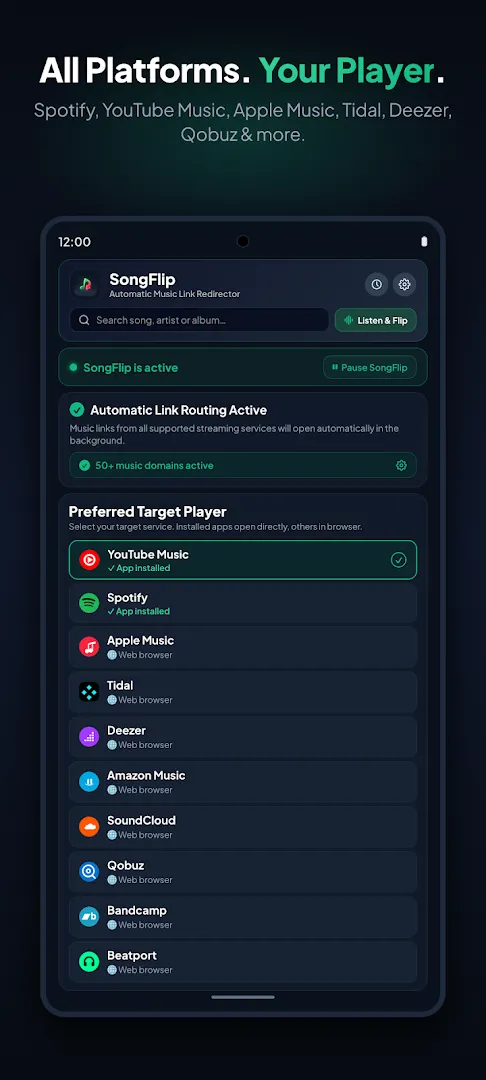
SongFlip converts links between 12 platforms: Spotify, YouTube Music, Apple Music, Apple Podcasts, Pocket Casts, Deezer, TIDAL, Amazon Music, Qobuz, Beatport, SoundCloud and Bandcamp. It also supports shared Shazam tracks and works with the Songlink / Odesli standard.
Key Features of SongFlip
1. Zero-Click Link Redirect
Tap any supported song link in WhatsApp, Telegram, Instagram or your browser and it opens straight in your chosen music app.
2. Listen & Flip Song Recognition
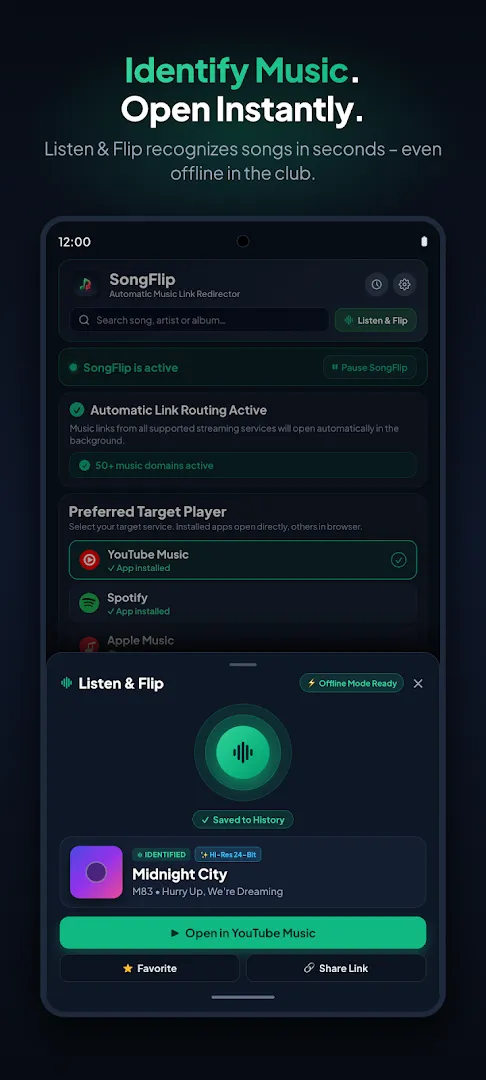
Identify songs playing around you, save them to your history and open them in your player. Offline Mode captures audio fingerprints without signal and resolves them when you are back online.
3. Playlist Converter
Transfer playlists track by track between Spotify, Apple Music, YouTube Music, TIDAL and Deezer, with duplicate cleaning and up to 200 tracks.
4. Podcast Converter
Share full podcast shows or single episodes across platforms – SongFlip finds the right episode in your podcast app.
5. QR Codes and Smart Links
Create QR codes for songs and albums, or share neutral songflip.link web links with a built-in web player so friends can listen on any device.
6. Hi-Res and Lossless Priority
Prefer studio masters, 24-bit Hi-Res, Lossless and Dolby Atmos versions over radio edits and compilations.
7. Quick Player Chooser and Quick Settings Tile
Pick a target player every time if you use several apps, or pause redirection for 15 minutes, 1 hour or until tomorrow right from Quick Settings.
8. Material You Design
Follows your system colors, includes an AMOLED dark mode and a monochrome themed icon.
How to Download and Set Up SongFlip
- Tap Get it on Google Play on this page and install SongFlip (about 15 MB).
- Open the app and choose your favorite music player and podcast app.
- Follow the Smart Redirect Assistant to enable “Open by default” links (Android 12+).
- Done – the next song link you tap will open in your player automatically.
Is SongFlip Safe?
Yes. SongFlip is open source, requires no login, collects no data according to its Google Play data safety section and shows no ads. Always install it from Google Play to get updates – it is updated very frequently.
Requirements
- Android version: 8.0 or newer (12+ for the Smart Redirect Assistant)
- Download size: about 15 MB
- Internet: needed to convert links (song recognition can work offline)
- At least one supported music app installed

SongFlip Free vs PRO
The core link redirect is free and ad-free. Optional PRO purchases unlock extra perks (Android Authority mentions a link history feature for paid users), and the app also supports promo code redemption for PRO.
Pros and Cons of SongFlip
Pros
- Solves link sharing between music apps perfectly
- Open source, no ads, no account
- Supports 12 services plus Shazam and podcasts
- Tiny 15 MB download
Cons
- Some extras are behind PRO
- Needs a quick one-time setup of default links
Similar Apps on APKsLab
- Radio Addict APK – internet radio from the maker of Podcast Addict.
- JustWatch TV APK – find where to stream movies and shows.
- Notability APK – AI and PDF note-taking app.
Browse more Music & Audio apps on APKsLab.
Final Verdict
If your friends use different music apps than you, SongFlip is a must-have. It is fast, private, open source and works across 12 services. For a 15 MB app, it removes a surprising amount of everyday friction.
Frequently asked questions
What does SongFlip do?
Which apps does SongFlip support?
Is SongFlip free?
Does SongFlip need an account?
Is SongFlip open source?
Apps like SongFlip
See all Radio Addict
Recommended Apps
See all Notability
 Retro – Photos with Friends
 Stremio
 OpenClaw
 GameNative
 Adobe Premiere
 Material Files
 I’m Miri: AI Astrology & Tarot
 Divine
 Loops
Loops
 Rowtine
Recommended Games
See all Red Ball Forever
 Saints Row: The Third
 Soccer Manager 2027
 MotoGP Rivals
 Kettle Street: Cosy Life Sim
 Winter Burrow
 Vampire Crawlers
 Sifu
Sifu
 Bloons Blitz
 ONE PIECE: Grand Gourmet
 Truckful
 Monster Hunter Outlanders
Ratings and reviews
No reviews yet. Be the first to rate SongFlip.